
ProductWindows tool · Local AI
QuietStudio.Your ideas. Your AI. On your computer.
QuietStudio is our AI workspace for creative and everyday tasks. Generate images from a description, edit photos, explore music ideas and work with text in one Windows application.
- Platform
- Windows
- Interface
- Russian only (no English UI)
- Modes
- On your computer · an online service is a separate, optional mode
- Status
- Public release not announced
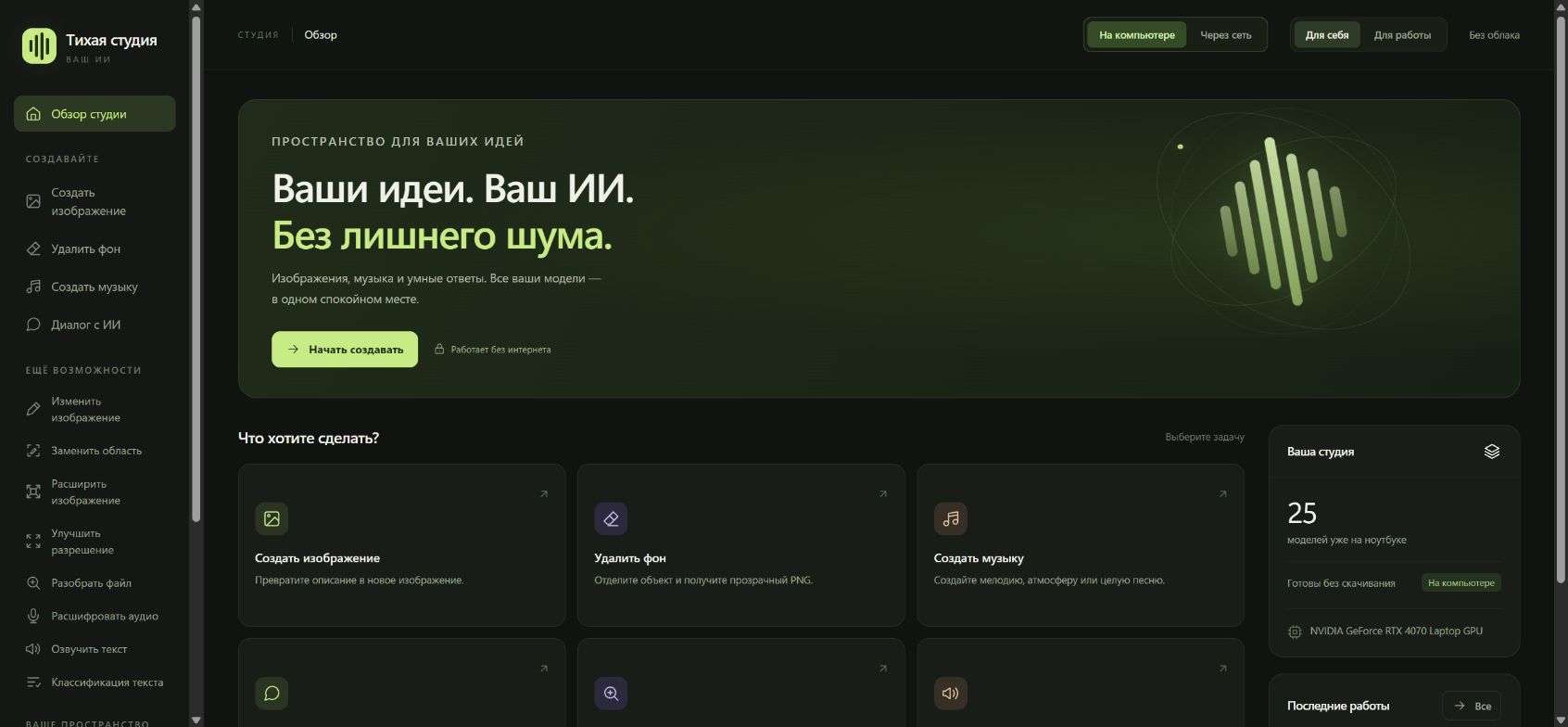
How it works
A single Russian-language interface brings these tools together. Start with a task, choose a suitable model and adjust the settings. Results and their parameters are saved in a library so you can return to your work.
Local mode uses installed models without an internet connection and does not send prompts or files to a cloud provider. Connecting an online service is a separate, explicitly selected mode.
Features
- 01ImagesText-to-image generation, editing, background removal and upscaling.
- 02WritingAI conversations, drafts, explanations and help with wording.
- 03MusicGeneration from descriptions and audio variations.
- 04OrganisationTask-based model selection and a library of results with their settings.
Available features and performance depend on installed models and computer hardware. Use of each model and its outputs is subject to that model’s licence terms.
Working screens
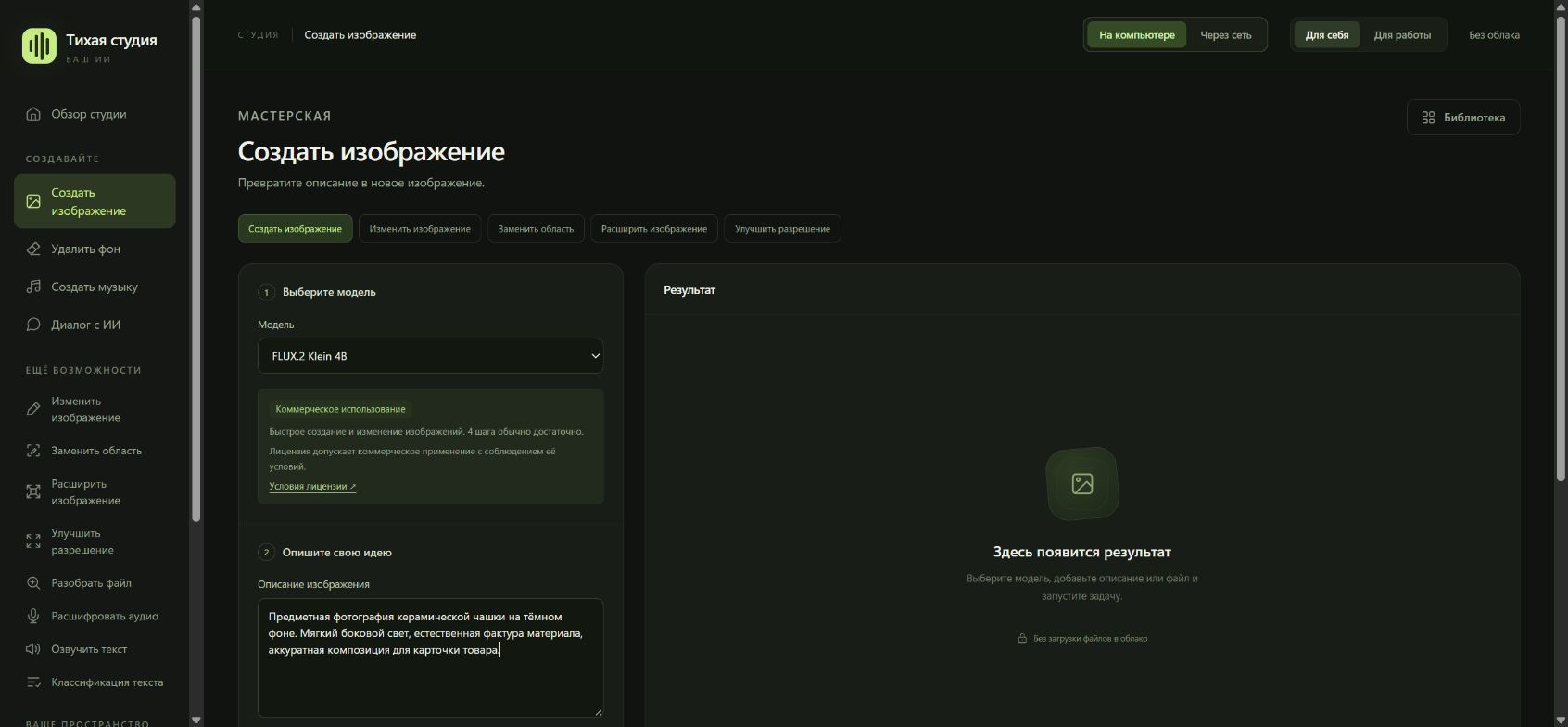
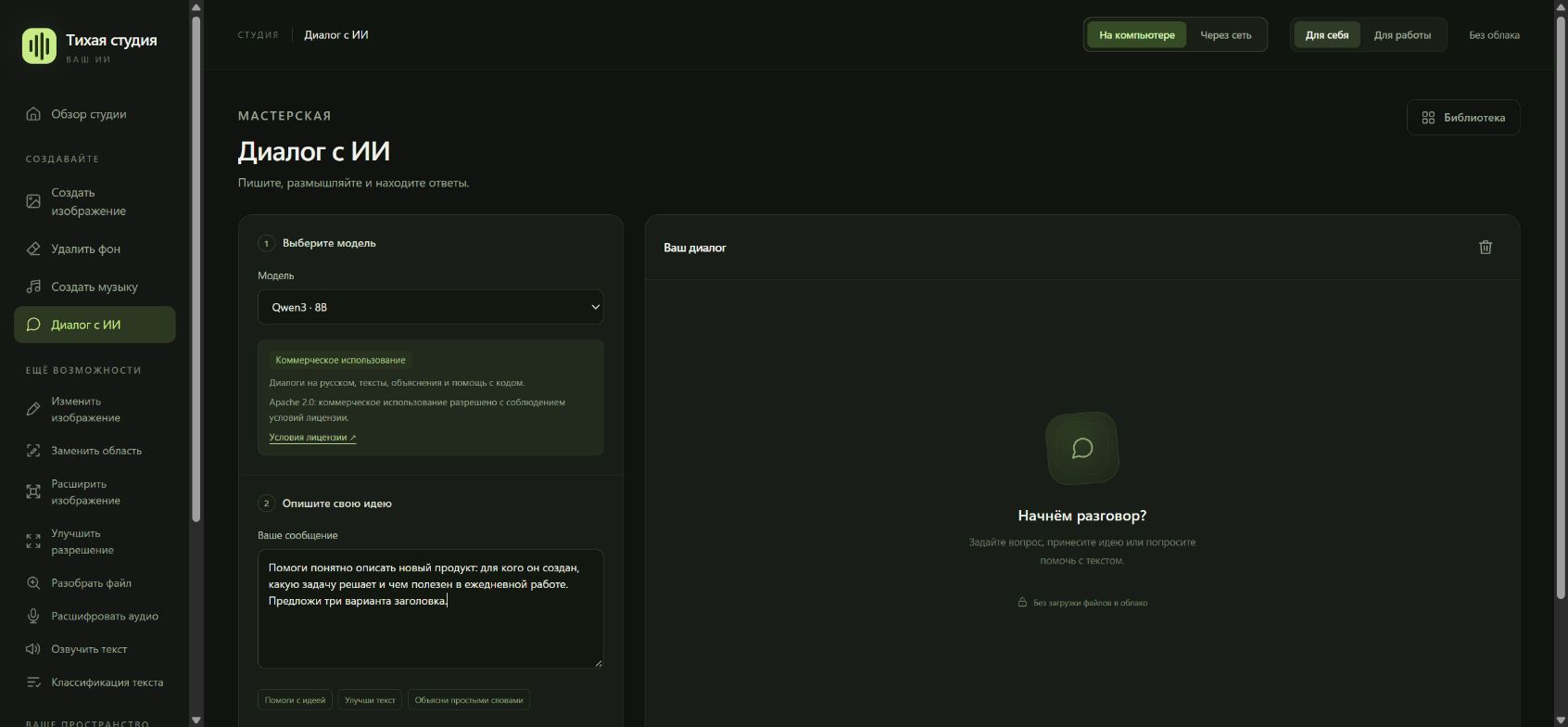
Real screenshots of the running app in “on this computer” mode, nothing drawn in. The interface is in Russian.
In development
We are preparing an update with Russian speech recognition, turning voice messages and audio recordings into text directly on your computer.
This is a planned feature: it is not in the current version, and no release date has been announced.